
Color Converter
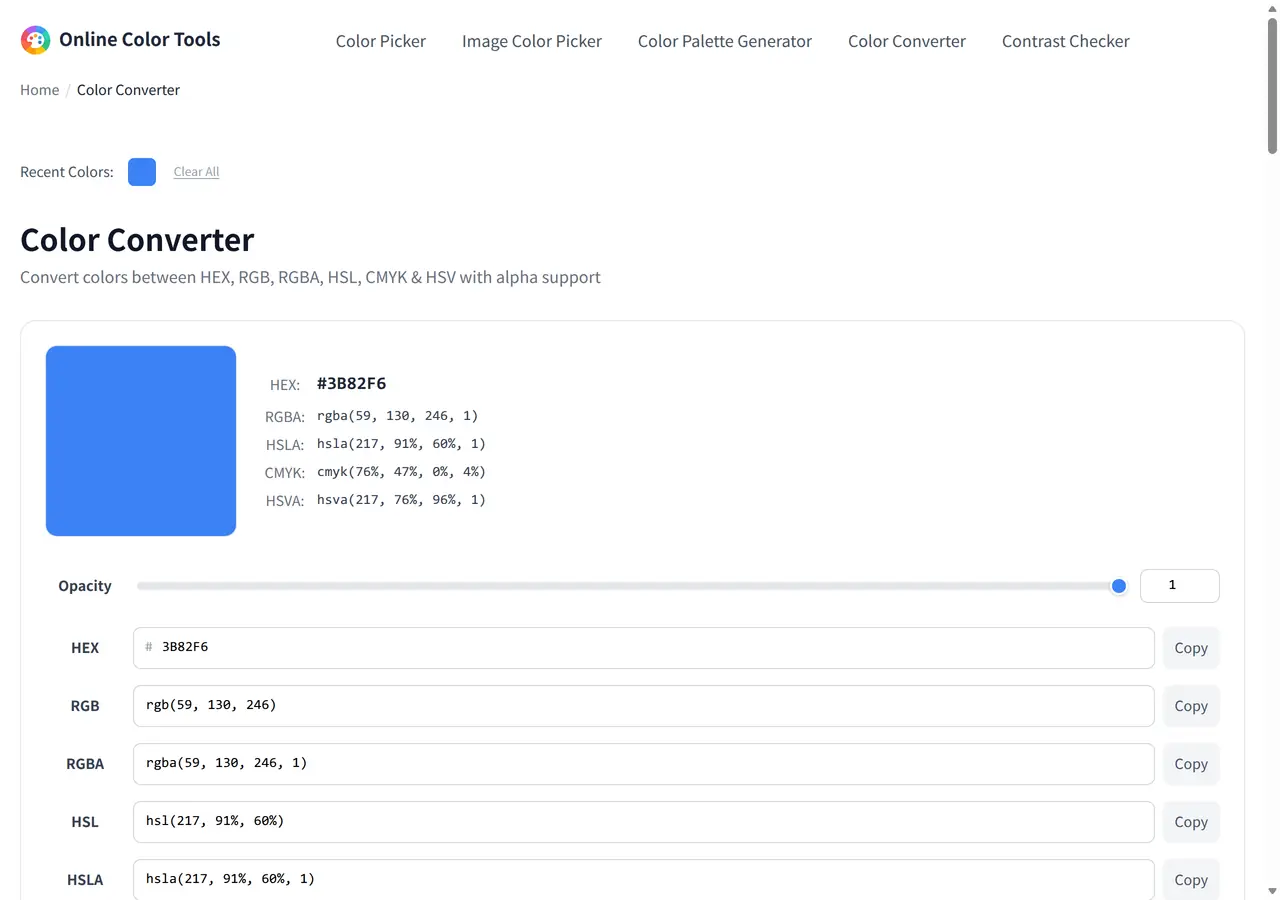
Convert colors between HEX, RGB, RGBA, HSL, CMYK & HSV with alpha support
How to convert colors?
- 1Enter a color value in any format — type a HEX code, RGB, RGBA, HSL, HSLA, CMYK, or HSV value.
- 2Adjust transparency — use the opacity slider to set the alpha channel, or type alpha values directly in RGBA/HSLA fields.
- 3All formats update instantly — see the converted values in every other color format in real-time, including alpha.
- 4Copy any format — click the Copy button next to the value you need for your project.
Why use our Color Converter?
Our free online color converter lets you instantly convert colors between all major formats — HEX, RGB, RGBA, HSL, HSLA, CMYK, and HSV — with full alpha channel (transparency) support. Whether you're a designer working with CSS colors, a developer matching brand colors, or a print professional converting screen colors to CMYK, this tool provides real-time, accurate conversions directly in your browser. Use the opacity slider to fine-tune transparency, or enter 8-digit HEX codes (#RRGGBBAA) for precise alpha control. No software installation needed. The HEX, RGB and HSL notations follow the W3C's CSS Color Module Level 4, so a value copied from this page parses identically inside a stylesheet.
Every notation the converter prints
Type any one of these into any field and the whole grid re-renders from it. Here are two complete rows so you can see how the same method treats a cool and a warm color.
| Format | From blue #3b82f6 | From orange #ff5733 |
|---|---|---|
| HEX | #3b82f6 | #ff5733 |
| RGB | rgb(59, 130, 246) | rgb(255, 87, 51) |
| RGBA | rgba(59, 130, 246, 1) | rgba(255, 87, 51, 1) |
| HSL | hsl(217, 91%, 60%) | hsl(11, 100%, 60%) |
| HSLA | hsla(217, 91%, 60%, 1) | hsla(11, 100%, 60%, 1) |
| HSV | hsv(217, 76%, 96%) | hsv(11, 80%, 100%) |
| CMYK | cmyk(76%, 47%, 0%, 4%) | cmyk(0%, 66%, 80%, 0%) |
HEX comes out lowercase and every channel keeps its percent sign, because those are the two places where a missing unit silently changes the meaning of a color.
What you can type in
Each field is strict about its own notation and lenient about the rest: spaces, casing and the function wrapper are optional where the parser allows it.
| Field | Accepts | Example |
|---|---|---|
| HEX | 3, 4, 6 or 8 digits, with or without the hash | 3B82F6, #3b82f680 |
| RGB | Three integers from 0 to 255 | rgb(59, 130, 246) |
| RGBA | Three integers plus alpha as a 0-1 fraction | rgba(59, 130, 246, 0.5) |
| HSL and HSLA | Degrees plus two percentages, alpha optional | hsl(217, 91%, 60%) |
| HSV and HSVA | Same shape, brightness instead of lightness | hsv(217, 76%, 96%) |
| CMYK | Four ink percentages, with or without the cmyk() wrapper | cmyk(76%, 47%, 0%, 4%) or 76, 47, 0, 4 |
The RGB, RGBA, HSL, HSV and CMYK fields pass your text through a color parser before redrawing, so a CSS color name such as tomato or rebeccapurple resolves there. The HEX field is narrower: it checks the string against a hex pattern, and a name typed into it simply does not convert.
Which conversions lose something
A conversion table is only honest if it says where information disappears. Three cases matter in practice.
- HEX and RGB are the same number twice. Six hex digits are three bytes written in base 16, so going between them cannot round, and a value you convert back is the value you started with.
- HSL and HSV round to whole numbers. The fields print hue, saturation, lightness and value as integers, so the result is human-readable rather than bit-exact. Feeding one of those values back in is usually within a step: the orange above is rgb(255, 87, 51), while hsl(11, 100%, 60%) renders as rgb(255, 88, 51). Keep the HEX if a channel has to match exactly.
- CMYK is a formula, not a press simulation. The four numbers come from the plain textbook conversion on the RGB triple. A real print job depends on an ICC profile, the paper and the ink limits, so this is a reasonable preview and the wrong thing to hand a print shop.
The reverse direction is lossy in a way that surprises people: several CMYK quadruples collapse onto the same screen color, and the formula has no memory of which one you began with. Converting HEX to RGB to HEX returns the original; converting RGB to CMYK back to RGB can shift a channel by one or two levels.
Paste-ready output from one value
The most useful thing a converter gives you is not the list of notations, it is the ability to build a family from one color. Store the channels once and derive every translucent variant from them, so a rebrand is a one-line change instead of a search-and-replace across a stylesheet.
Plain CSS with derived alpha
:root {
  --blue: #3b82f6;
  --blue-rgb: 59, 130, 246;
  --blue-10: rgba(var(--blue-rgb), 0.1);
  --blue-50: rgba(var(--blue-rgb), 0.5);
}

.button {
  background: var(--blue);
  border-color: var(--blue-50);
}rgba() takes the three channels as a comma-separated list, which is why --blue-rgb holds 59, 130, 246 rather than a full color.
The same idea in SCSS
$blue: #3b82f6;
$blue-rgb: 59 130 246;

.button {
  background: $blue;
  color: rgba($blue-rgb, 0.1);
}Where this page sits in the workflow
The converter takes text and returns text, so it is the step you reach for when a value already exists. To get a value off your display use the screen Color Picker; to get one out of a file use the Image Color Picker. Once the notation you need is in hand, the pair you plan to ship should go through the Contrast Checker, and a set of values that have to work together belongs in the Palette Generator.